
Download fruux – Seamless Calendar, Contacts & Tasks Sync for Mac
Overview – Why fruux Matters for Mac Power Users
In the Mac ecosystem, keeping your iCal, Address Book, Tasks and Bookmarks consistent across multiple machines can feel like a juggling act. fruux steps in as a dedicated synchronization service that targets exactly those data sets. Unlike generic backup tools such as Time Machine, which mirror entire disks, fruux focuses on the elements that truly matter for productivity: calendars, contacts, tasks and, soon, web‑based bookmarks.
The app watches for changes on any linked Mac and instantly pushes those updates to every other registered device, employing a “sync conflict resolution” algorithm that ensures the most recent edit wins. Although iPhone support is still pending, the service already offers a web portal, meaning you can retrieve your up‑to‑date information from any browser—ideal for travelers or remote workers who may leave their primary Mac behind. Because fruux is still in beta, it’s advisable to keep a secondary backup solution active, but its potential to replace fragmented sync utilities with a single, secure, cross‑machine hub makes it a compelling addition to any Mac‑centric workflow.
Core Features & Technical Edge
- Bidirectional Calendar Sync – Changes made in iCal on one Mac instantly appear on every other synced device, with support for multiple calendars and color‑coded categories.
- Address Book Harmonization – Contacts, groups, and custom fields are unified, eliminating duplicate entries and ensuring phone numbers, emails and notes stay current.
- Task Management Integration – To‑do items from the native Reminders app are synchronized, preserving due dates, priority flags and completion status.
- Sync Conflict Resolution Engine – When two devices edit the same record simultaneously, fruux intelligently chooses the latest version while preserving a change log for audit.
- Web‑Based Dashboard (Beta) – A responsive portal lets you view, edit, and export your synced data from any browser, ensuring accessibility even when your Mac isn’t on‑hand.
- End‑to‑End Encryption – All data in transit is protected by TLS 1.3, and at rest is encrypted with AES‑256, meeting enterprise‑grade security standards.
- Selective Sync Profiles – Create custom profiles that sync only contacts or only calendars, useful for separating work and personal data streams.
Beyond the headline features, fruux’s architecture relies on a lightweight background daemon that monitors the macOS ~/Library/Calendars and ~/Library/Application Support/AddressBook directories. The daemon wakes only when file system events occur, preserving battery life and CPU cycles. Moreover, the service leverages Apple’s native APIs for calendar and contact manipulation, ensuring full compatibility with macOS updates and preserving the integrity of existing metadata such as travel time alerts and contact photos.
Developers will appreciate the RESTful API that fruux exposes for advanced automation. While the public API is still under refinement, early adopters can push bulk updates, retrieve change histories, and even integrate third‑party task managers via webhooks. This extensibility positions fruux as a potential backbone for custom workflow solutions, especially in environments where macOS is the primary workstation.
Installation, Usage & Compatibility – Getting Started on macOS
Step‑by‑Step Installation
- Visit the official fruux website and click the “Download for macOS” button. The installer is a signed
.dmgfile, ensuring a secure download. - Open the
.dmg, drag the fruux icon into your/Applicationsfolder, and launch the app. - On first launch, you’ll be prompted to create a fruux account (or sign in with an existing one). This account stores your sync preferences in the cloud.
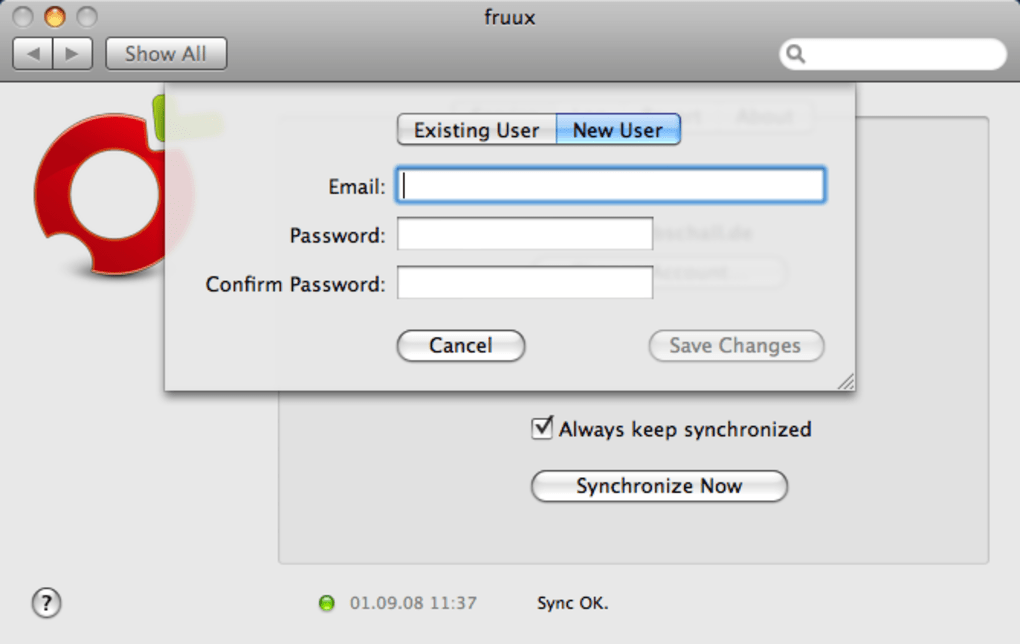
- After authentication, the app scans your local iCal, Contacts, and Reminders databases. Review the auto‑detected items and confirm which you wish to sync.
- Enable “Run at Login” if you want the background daemon to start automatically with your Mac.
Using fruux on a Daily Basis
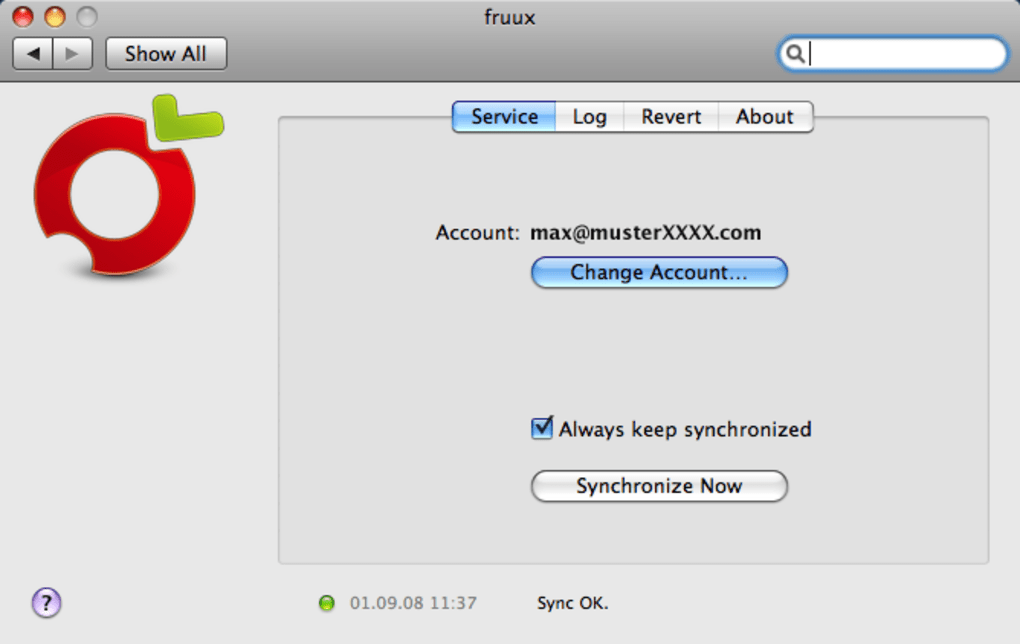
Once installed, fruux operates silently in the menu bar. A simple green dot indicates successful synchronization, while a yellow triangle signals a pending conflict that requires manual review. Clicking the icon opens a quick‑view window where you can see the last sync timestamp, the number of items synced, and any conflict notices. For deeper control, the Preferences pane offers options to set sync intervals (default is immediate), choose which calendars or contact groups to exclude, and configure the web‑dashboard URL.
Compatibility macOS 10.14 (Mojave) and later. fruux has been tested on both Intel‑based and Apple Silicon Macs, with the installer automatically providing the appropriate binary. While iPhone and iPad support is slated for a future release, the web interface works flawlessly on iOS Safari, giving mobile users read‑only access until the native app arrives.
Pros & Cons – A Balanced Look
- Pros
- Real‑time, bidirectional sync eliminates manual export/import steps.
- Selective sync profiles let you keep work and personal data separate.
- End‑to‑end encryption assures privacy for sensitive contacts and appointments.
- Lightweight daemon has negligible impact on system performance.
- Web dashboard provides remote access without needing a Mac on‑site.
- Cons
- No native iOS app yet; mobile access is limited to the web portal.
- Beta status means occasional hiccups; a secondary backup is recommended.
- Advanced features like API access are still under development.
- Free tier imposes a limit on the number of synced devices (up to 3).
Frequently Asked Questions
Is fruux free or does it require a subscription?
fruux offers a free tier that supports up to three Macs and basic sync features. For unlimited devices, priority support, and early access to the iOS app, a Pro subscription ($4.99/month) is available.
How does fruux handle sync conflicts?
When two devices edit the same record, fruux keeps the most recent change and logs the earlier version. Users can review conflicts via the menu‑bar icon, where each conflict is listed with options to keep, discard, or merge changes.
Can I sync my Google Calendar or Outlook contacts through fruux?
Currently fruux focuses on native macOS data sources. However, you can import Google Calendar or Outlook contacts into macOS Calendar and Contacts, after which fruux will sync those entries like any other native item.
Is my data safe during transmission?
Yes. All communication between your Mac and fruux’s cloud servers uses TLS 1.3 encryption, and data stored on the server is encrypted at rest with AES‑256.
What should I do if I encounter a sync error?
First, check the menu‑bar icon for an error code. Most issues resolve by restarting the fruux daemon (quit and relaunch the app). If the problem persists, visit the support portal, where you can submit logs directly from the Preferences > Debug tab.
Conclusion – Is fruux the Right Sync Solution for Your Mac?
fruux fills a niche that many Mac users overlook: a focused, secure, and real‑time sync service for calendars, contacts, and tasks without the overhead of full‑system backups. Its lightweight design, end‑to‑end encryption, and upcoming web interface make it a forward‑looking choice for professionals who need their schedule and address book at their fingertips, no matter which Mac they sit at. While the beta status and lack of native iOS support are valid concerns, the ability to maintain consistent data across multiple desktops, combined with a generous free tier, outweighs these drawbacks for most small‑team or solo users.
If you’re ready to streamline your workflow and eliminate manual export steps, download fruux now and experience hassle‑free syncing. Remember to keep a secondary backup method active while you test the beta, and stay tuned for the upcoming Pro features that will extend the platform to mobile devices and deeper API integrations.
fruux delivers reliable, secure sync for macOS calendars, contacts, and tasks. Its conflict resolution and selective sync profiles are standout features, though iOS support is still pending. Ideal for power users who need real‑time data consistency across multiple Macs.







